
Sony ZV-E10 Review (2026): Why I Bought It as My Lightweight Second Camera
I did not buy the Sony ZV-E10 to replace my Sony A7C.
I bought it because I needed a dependable second camera that could stay on a tripod, record for long sessions, and let my A7C remain free for photography. After using the ZV-E10 to film the California Association of School Psychologists (CASP) Summer Experience, I understand exactly where this little APS-C camera fits in my kit.
The ZV-E10 is light, simple to rig, compatible with the Sony E-mount lenses I already own, and capable of producing footage that cuts naturally with my other Sony cameras. My first real assignment with it was unusually demanding: two days of steady conference recording while I moved around the room taking photos with the A7C.
This is not a lab review. It is my real-world Sony ZV-E10 review from the perspective of a working Bay Area photographer building a practical two-camera photo and video setup.
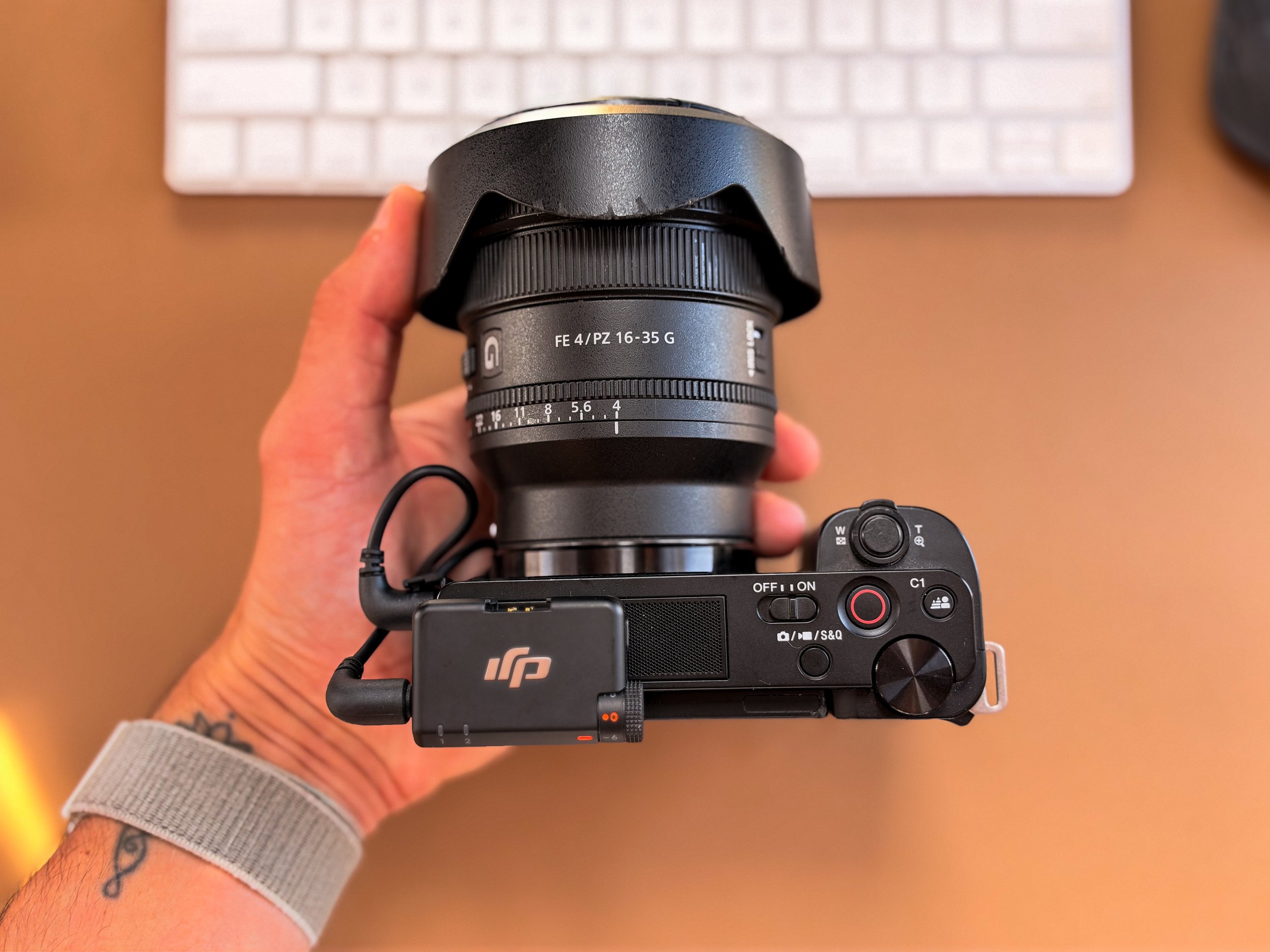
2026 Update: The ZV-E10 Has Basically Become My Dedicated Video Camera
Update: October 2026
The funny thing about buying camera gear is that sometimes you don't really know what role something is going to fill until you've owned it for a while. That's exactly what happened with my Sony ZV-E10.
As I've gotten deeper into professional videography alongside my photography work, the ZV-E10 has slowly become less of a “second camera” and more of my dedicated video body. And honestly? That's where I've started appreciating this little camera the most.
My current event setup usually looks something like this:
Sony ZV-E10 + Sony 16–35mm f/4 PZ G = video
Sony A7C + Sony 24–70mm f/2.8 GM = photography
Then I can move around the event with my A7C photographing speakers, attendees, details and candid moments while the ZV-E10 stays locked off and records what's happening. For the kind of hybrid photo + video work I'm doing now, it has become a surprisingly effective two-camera setup.
Why I Use the Sony 16–35mm f/4 PZ G on the ZV-E10
I've been pairing the ZV-E10 with my Sony 16–35mm f/4 PZ G, and this combination makes a lot of sense for the way I use it.
The ZV-E10 has an APS-C sensor, so the 16–35mm doesn't give me the same field of view it would on my full-frame A7C. But it still gives me enough flexibility to capture a speaker, stage or a wider view of the overall environment.
For events, I usually don't need this camera constantly moving around anyway. I find the angle I want, frame the speaker or environment, check focus, exposure and audio, then hit record. That frees me up to photograph the event while periodically checking the recording.
Recording Speakers for 2+ Hours
This is probably the biggest thing I wanted to add to my original ZV-E10 review. I've now used this camera for long-form speaker and company recordings lasting more than two hours, and so far it has been fantastic.
Rather than relying on the little NP-FW50 battery for an entire presentation, I use continuous external power, with an external battery connected via USB-C, so the camera can keep running. For my work, external power takes one more thing off my mind.
I've had the ZV-E10 recording presentations for 2+ hours at a time and, in my indoor real-world use so far, I haven't experienced overheating. That's my experience with this setup, not a promise of unlimited recording. A hot outdoor shoot is different from an air-conditioned conference room, and conditions, settings and power all matter. But for the indoor corporate work I've been doing, it has been extremely dependable.
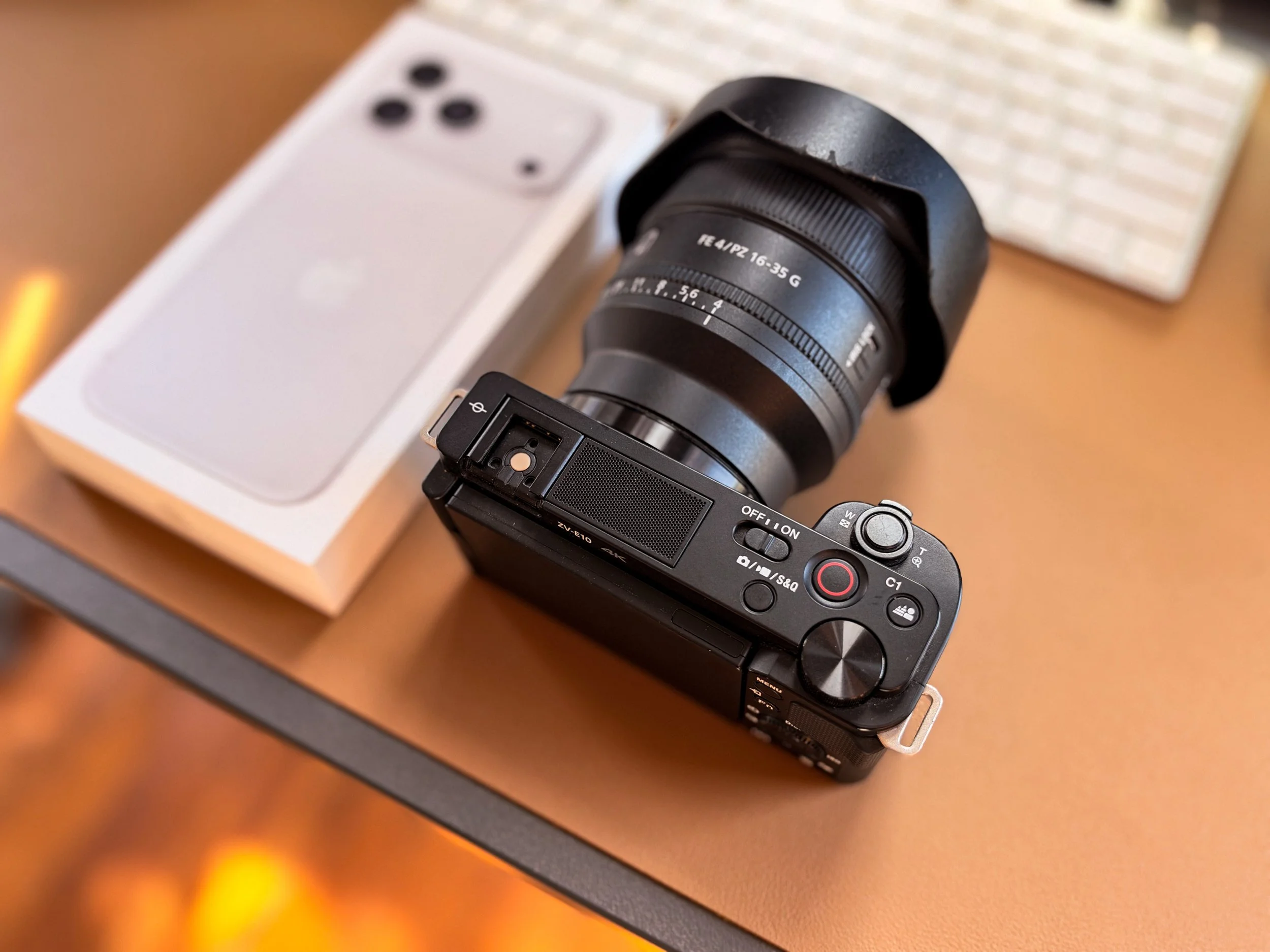
256GB Samsung SD Cards Have Become My Default
Storage is another thing I don't want to think about halfway through a presentation. I always use a 256GB card, typically a Samsung PRO Plus 256GB SDXC, in the ZV-E10.
I've become a pretty big fan of Samsung's cards because they've been reliable for me. I can record a substantial amount of content and then transfer everything back onto my MacBook without making storage management another problem during an already busy event. For professional work, boring and reliable is exactly what I want from an SD card.
My DJI Mic 2 Setup for Speakers
Video quality matters. Audio matters more. If I'm recording a presenter for a company's internal library or learning platform, beautiful footage isn't very useful if nobody can clearly understand what they're saying.
I've been pairing the ZV-E10 with my DJI Mic 2 system. Usually, I'll place a transmitter/microphone on the speaker and keep the receiver mounted at the camera's hot shoe area, connected to the camera's microphone input. The receiver stays with the camera; the transmitter goes with the speaker.
Once everything is connected, one of the most important parts of my setup process is simply watching those audio levels. Before I walk away from the camera, I want to know:
Is the transmitter connected?
Is audio actually reaching the camera?
Are my levels healthy, with room for louder moments?
Is anything clipping?
Is the speaker's mic positioned correctly?
Then I check the levels periodically throughout the presentation. It's a small part of the setup, but it makes a huge difference to the finished video.
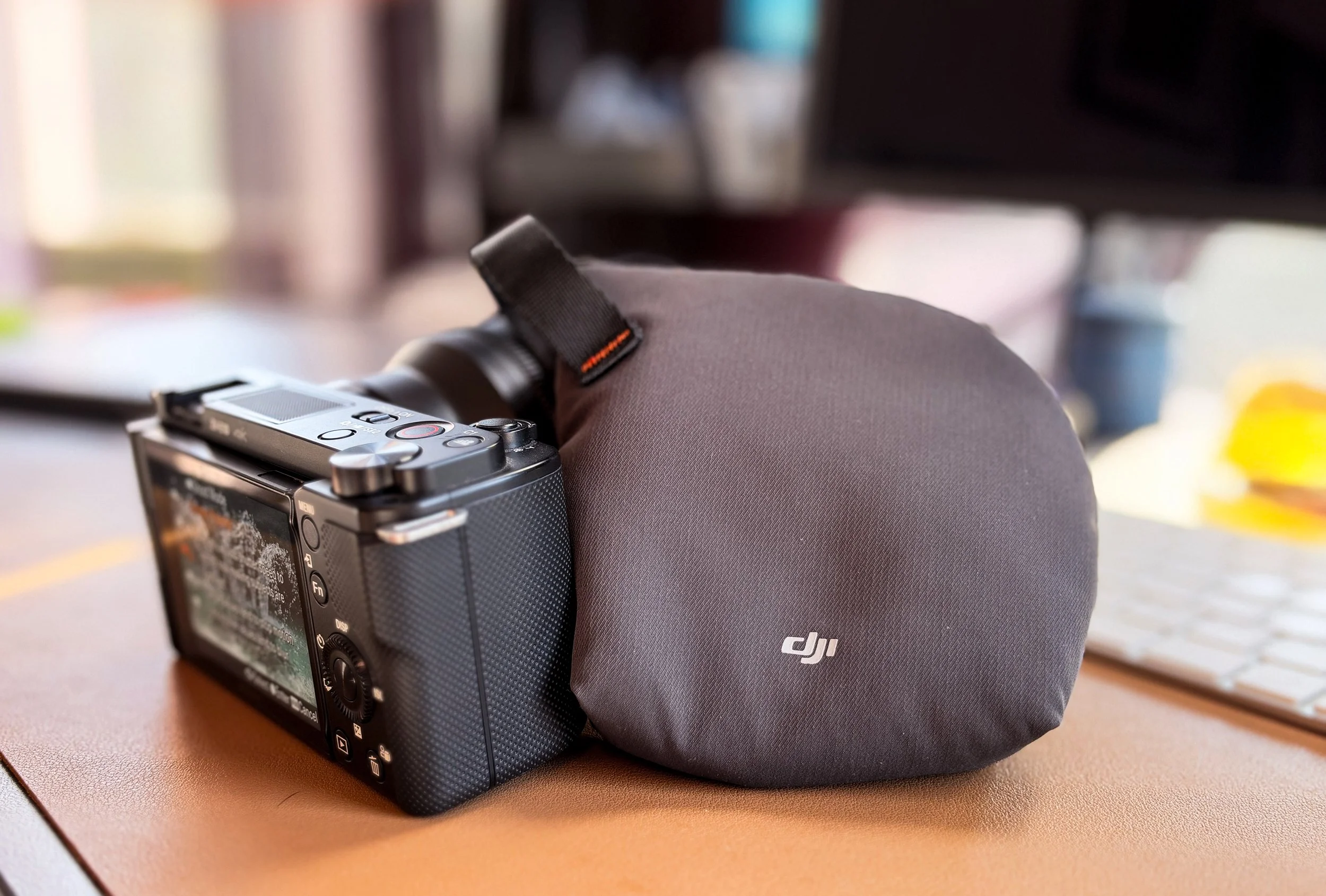
Where I've Actually Been Using This Setup
Most of my ZV-E10 footage lately has been for speakers, presentations, educational sessions, company events and long-form LEP/e-learning-style content that clients can use for training or an internal learning library. I also use it to capture wider environmental coverage.
That's actually changed the way I think about videography. Sometimes the client's most valuable video is simply a clean, properly exposed, well-framed two-hour presentation with clear audio. And somebody has to make sure that camera keeps recording for those two hours.
Meanwhile, I'm usually moving throughout the room with my Sony A7C, photographing the environment and capturing everything happening around the presentation. That's become my rhythm: ZV-E10 = the eyes that stay put. A7C = the camera that moves with me.
I'm Becoming Much More of a Videographer
This has probably been the biggest evolution since I originally wrote this review. Photography is still the core of what I do, but increasingly, clients aren't hiring me for only photography. They need photos, B-roll, interviews, presentations recorded, vertical clips, a highlight video—or the entire keynote delivered afterward.
And suddenly I'm managing cameras, microphones, storage, power, audio levels and file delivery in addition to thinking about aperture and composition. It's been interesting watching my job evolve.
The ZV-E10 has been a surprisingly important part of that transition because I don't have to sacrifice my main photography camera to get dependable long-form video. I still keep the DJI Osmo Pocket 3 in my workflow when I need quick, stabilized B-roll or behind-the-scenes footage.
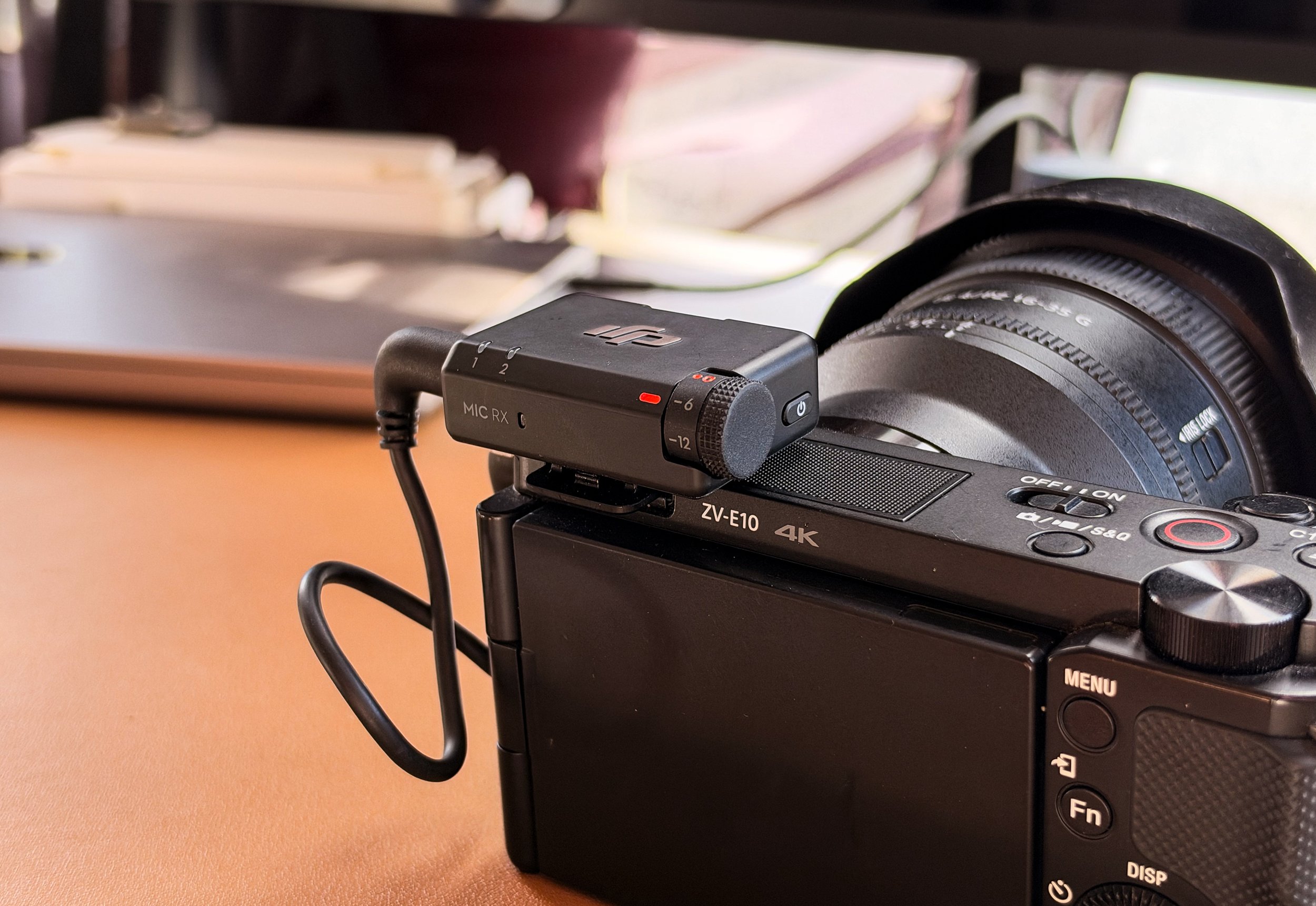
Would I Still Recommend the Sony ZV-E10 in 2026?
For the right person, absolutely. The original ZV-E10 isn't some hidden technological monster. But that's exactly why this long-term update matters: I need it to perform one job reliably, and in my workflow, it does.
It has become a compact camera that I can put on a tripod, connect to external power, attach wireless audio, load with a 256GB card and use to record while I'm concentrating on everything else happening around me. That's a much more valuable role than I expected when I bought it. And sometimes that's the best kind of camera purchase.
Using the iPhone 18 Pro Max for Behind-the-Scenes & Product Photography
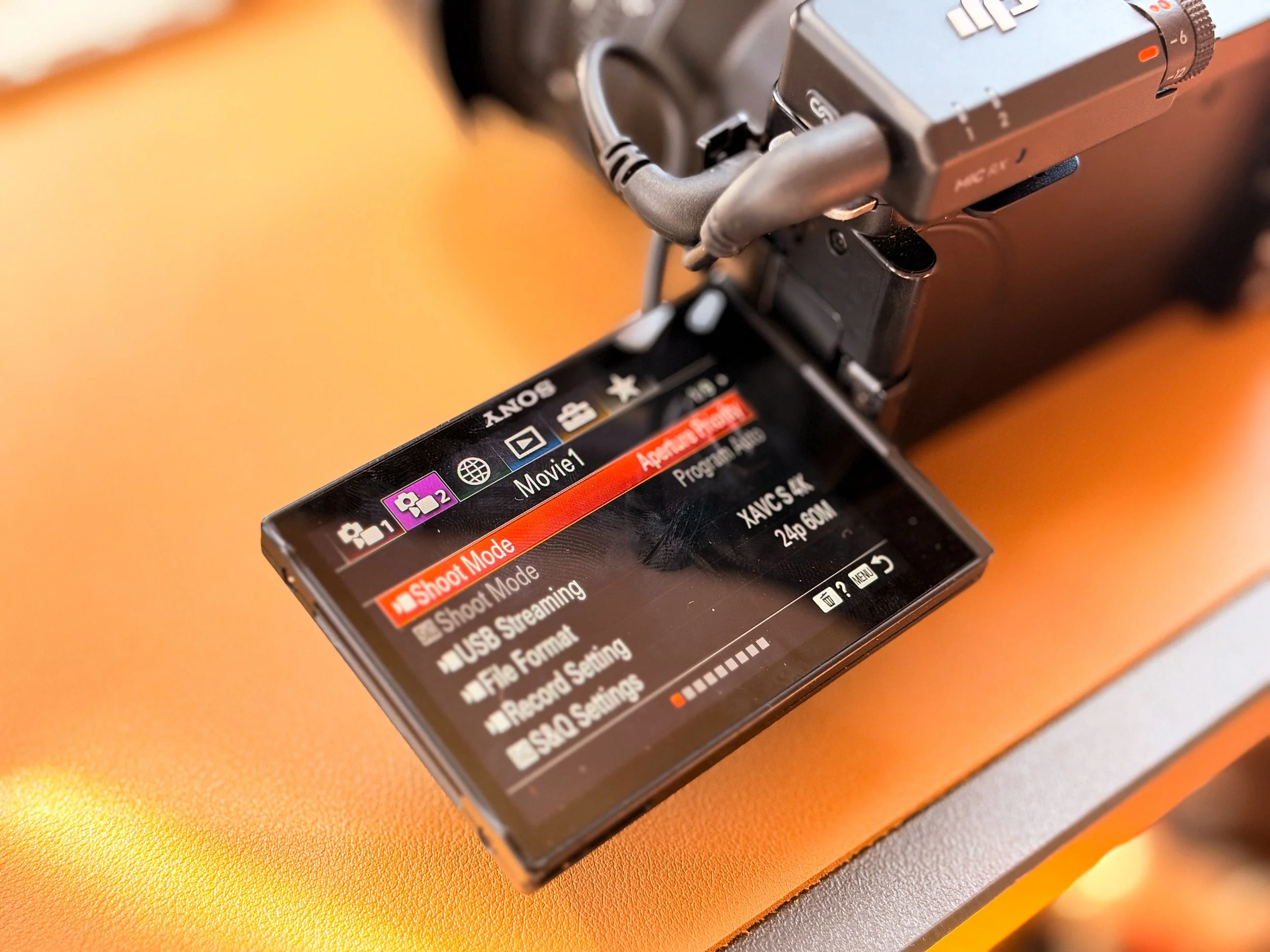
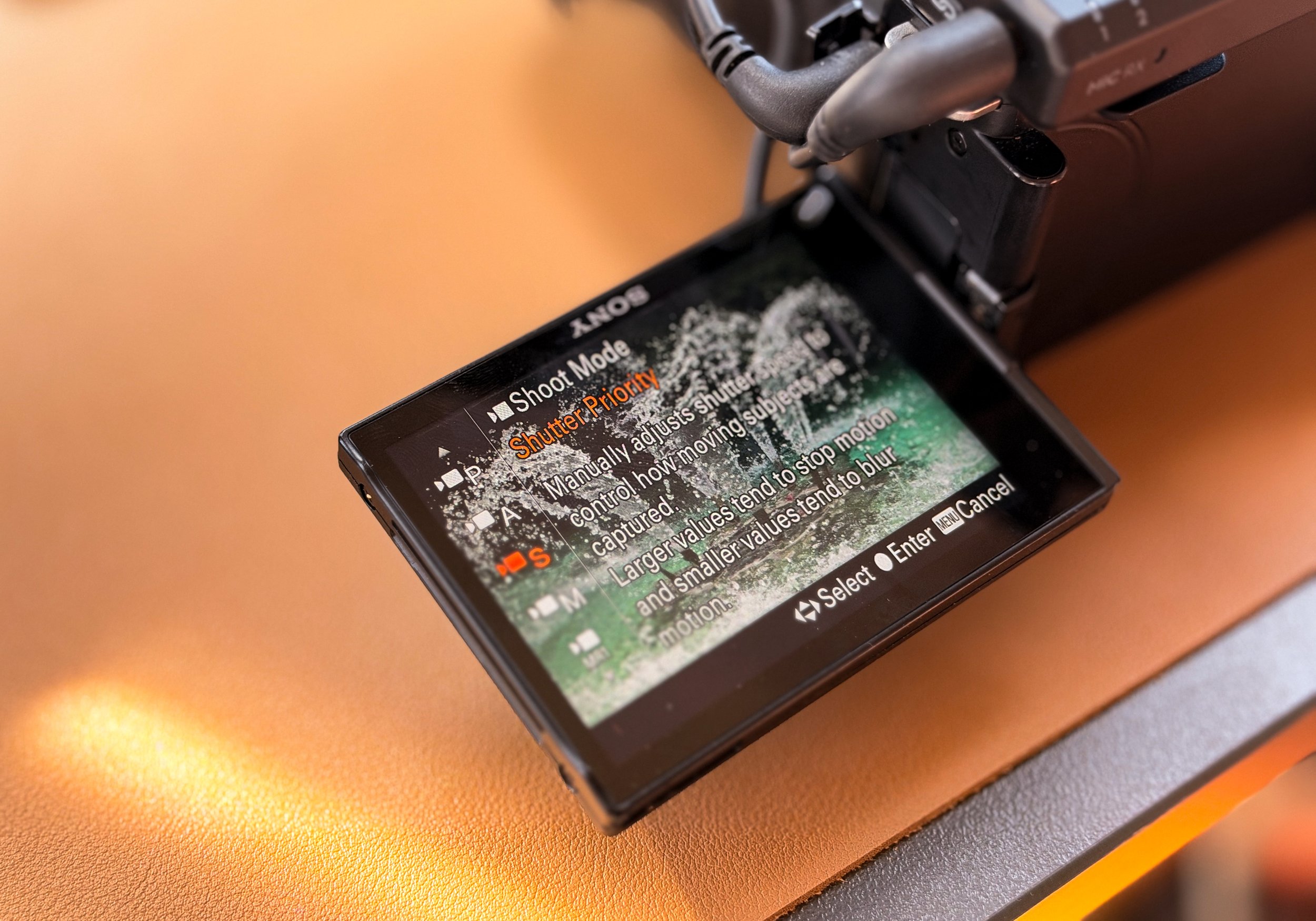
I also shot a new set of ZV-E10 product photos for this update with my new silver iPhone 18 Pro Max, including the camera beside its box and details of the menus.
Instead of pulling out the A7C and setting up an entire product shoot, I've been experimenting with the iPhone at roughly 1.5x–2x, Portrait mode and my own custom Photographic Style. It's been a fun way to create quick product photos for the blog. This applies to the new product-photo set, rather than every image from the original review.
The iPhone is becoming a useful part of my everyday workflow for behind-the-scenes moments, gear and product images, documenting camera and audio setups, and quick social assets. When I just need a photo of how I've set up the ZV-E10 or a detail for the blog, setting up another Sony body isn't always necessary. Having that option in my pocket lets me document the work while keeping the ZV-E10 focused on recording and the A7C ready for client photography.
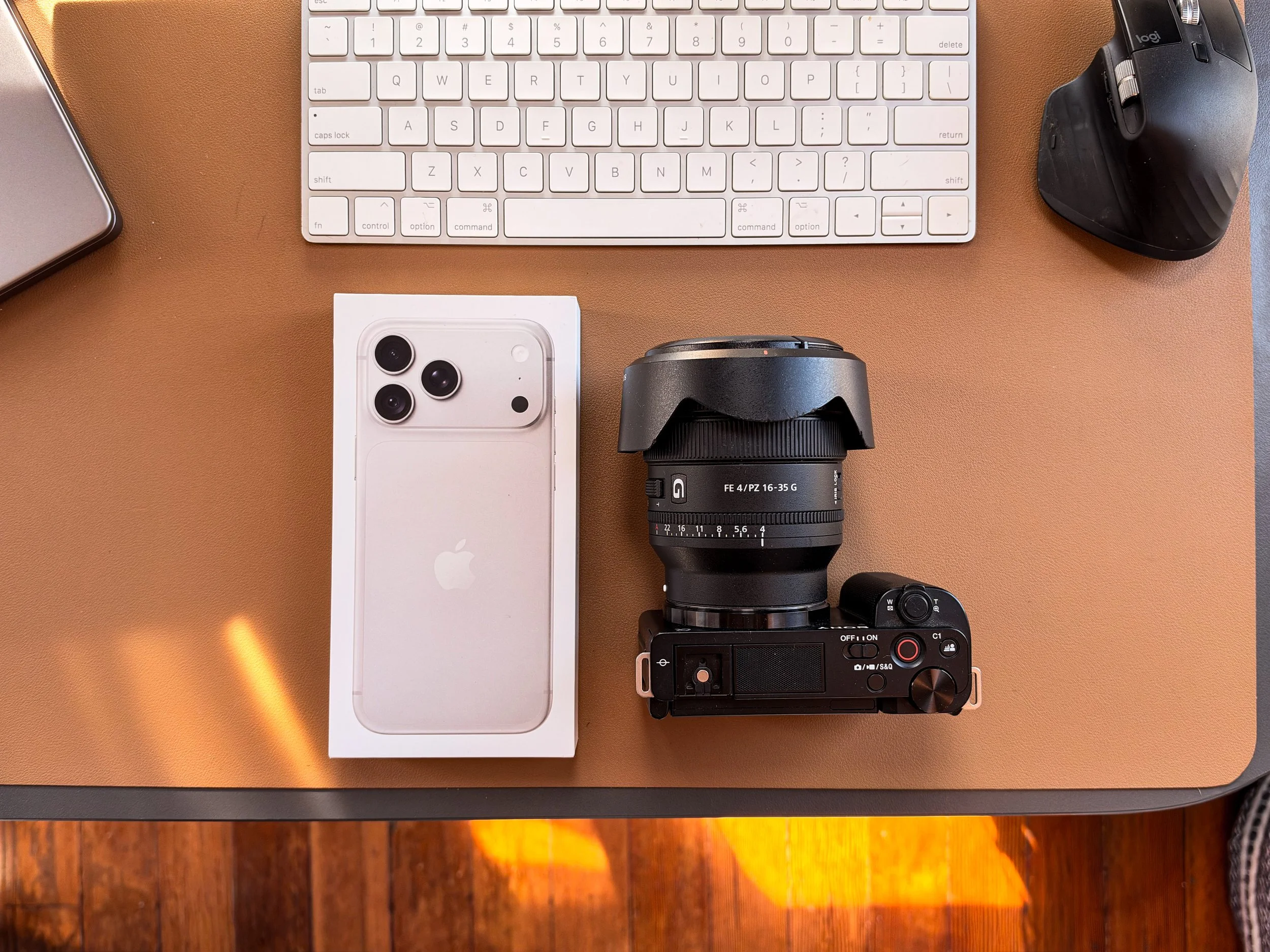
My Current Sony ZV-E10 Event Setup
Camera: Sony ZV-E10
Lens: Sony 16–35mm f/4 PZ G
Storage: Samsung PRO Plus 256GB SDXC
Power: Continuous external battery/USB-C power for long sessions
Audio: DJI Mic 2 transmitter on the speaker, receiver at the camera
Primary use: Speakers, presentations, educational and company sessions, and environmental video
Photography body: Sony A7C + 24–70mm f/2.8 GM
B-roll: DJI Osmo Pocket 3 when needed
It's not an extravagant cinema rig. But right now? It's working.
Original Review: How the ZV-E10 First Fit Into My Kit
The original July 2026 impressions below document where this setup started. The October update above reflects how I use it now.
Why I bought the Sony ZV-E10 as a second camera
My Sony A7C is still my primary photography body. It is full frame, compact, familiar, and excellent with my Sony 24–70mm f/2.8 GM. But trying to use one camera for stills and long-form video at the same event creates unnecessary compromises.
At a conference, I may need to photograph a keynote speaker, turn toward an audience reaction, capture networking, and cover sponsor details—all while the presentation needs to keep recording. A dedicated second body solves that problem.
The ZV-E10 can stay locked on a speaker or presentation area while the A7C remains in my hands. Giving each camera one job reduces stress and dramatically lowers the chance of missing something.
My first real test: filming a two-day CASP conference
I first put the ZV-E10 to work at the CASP Summer Experience at the Hyatt Regency Sonoma Wine Country. I positioned it on a tripod near the projector screen and used it as the dedicated camera for educational sessions.
Instead of relying on standard batteries for hours of recording, I connected the camera to wall power with a dummy battery. That was one of the most important parts of the setup. It allowed me to concentrate on photography, audio, and the room instead of constantly watching a battery percentage.
A DJI wireless microphone receiver fed audio directly into the camera. One transmitter was placed on the presenter, while a second microphone gave me a backup source. The result was a simple, compact recording station that stayed out of the way and did its job.
For this kind of work, reliability matters more to me than creating the most complicated cinema rig.
Sony ZV-E10 specifications that actually matter
The original Sony ZV-E10 uses a 24.2-megapixel APS-C Exmor CMOS sensor and the Sony E-mount. It records UHD 4K video up to 30p and Full HD at frame rates up to 120p, giving it enough flexibility for long-form presentations, interviews, and slow-motion B-roll.
The technical features that matter most in my workflow are:
• 24.2-megapixel APS-C sensor
• Sony E-mount lens compatibility
• 4K recording up to 30p
• Full HD recording up to 120p
• Fast hybrid autofocus with face and eye detection
• Fully articulating side-opening screen
• 3.5mm microphone input and headphone output
• USB-C connectivity
• Compact body that weighs far less than a traditional cinema rig
Sony’s official specifications are available here: https://www.sony.com/electronics/support/e-mount-body-zv-e-series/zv-e10k/specifications
The ZV-E10 is an 8-bit camera, so it is not trying to compete with newer 10-bit bodies or Sony’s Cinema Line. But for controlled exposure, dependable autofocus, conference coverage, talking-head footage, and lightweight B-roll, its files are more than usable.
APS-C versus full frame: how it fits beside my Sony A7C
The most important difference between the ZV-E10 and my A7C is sensor size.
The ZV-E10 has an APS-C sensor with approximately a 1.5x field-of-view crop compared with full frame. That means a 16–35mm lens frames roughly like a 24–52.5mm lens would on a full-frame camera. For me, that is still an extremely useful range for conference video, interviews, room details, and environmental B-roll.
Meanwhile, the Sony 24–70mm f/2.8 GM stays on my full-frame A7C for photography. That combination gives me the actual 24–70mm field of view, strong low-light performance, and the flexibility to move quickly between wide room coverage and tighter speaker images.
The division is clean:
• Sony ZV-E10 + 16–35mm f/4 PZ G: lightweight video, tripod coverage, interviews, and B-roll
• Sony A7C + 24–70mm f/2.8 GM: primary still photography and fast-moving event coverage
The 24–70mm GM is a heavy lens on the compact A7C, but the results are worth it. Keeping the much lighter ZV-E10 on a second support or small rig prevents my complete setup from becoming unnecessarily bulky.
Why the Sony 16–35mm f/4 PZ G makes sense on the ZV-E10
The Sony 16–35mm f/4 PZ G is one of the combinations I am most excited to keep testing on this camera.
Because of the APS-C crop, it becomes a highly practical standard-range zoom instead of an ultra-wide lens. At the wide end, I can show a speaker within the room or capture an environmental scene. At the long end, I can frame a more natural medium shot without moving the tripod.
That range should also work beautifully for B-roll: venue exteriors, registration tables, hands interacting with products, people walking through a space, wide establishing shots, and behind-the-scenes details.
The lens is larger and more expensive than the ZV-E10 body might suggest, but using glass I already trust is part of the appeal. I am not creating a separate lens ecosystem just for video.
Autofocus and continuous recording workflow
For long-form event video, I want the camera to become almost invisible. Once framing, exposure, white balance, audio, storage, and power are confirmed, the camera should simply keep doing its job.
Sony’s autofocus is a major advantage here. Face and eye detection can hold attention on a presenter without requiring me to stand behind the tripod for every second of the session.
For reliable conference recording, my checklist is:
• Format and test the memory card before the event
• Use wall power or a tested dummy battery for long sessions
• Set white balance manually so color does not shift mid-presentation
• Confirm the microphone signal and monitor with headphones
• Leave enough headroom to protect against unexpected audio peaks
• Check focus behavior before the room fills
• Record a short test clip and play it back
• Carry a second audio source and additional memory cards
The ZV-E10 does not make preparation unnecessary. It makes a carefully prepared setup smaller and easier to manage.
The biggest limitation: no in-body image stabilization
The original ZV-E10 does not have mechanical in-body image stabilization. That matters if you want to walk around shooting handheld footage.
Sony offers electronic Active stabilization for video, but electronic stabilization crops the image. Stabilized lenses, careful technique, a tripod, a monopod, or a small gimbal can produce better results depending on the shot.
For my original purpose—steady recording from a tripod—lack of IBIS is not a major problem. It becomes more important as I start asking the camera to handle moving B-roll.
Could the ZV-E10 replace my DJI Osmo Pocket 3?
Maybe—but I do not think it is a simple replacement.
The DJI Osmo Pocket 3 is incredibly fast. I can pull it out, start recording, walk through a room, and get stabilized footage without building a rig. It is discreet enough for candid behind-the-scenes moments and easy to carry even when I already have the A7C in my hands.
The ZV-E10 offers a larger APS-C sensor, interchangeable lenses, more control over depth of field, and a look that can match my Sony footage more naturally. With the 16–35mm f/4 PZ G, it has much more creative flexibility.
The tradeoff is that the ZV-E10 needs more support. Without IBIS, moving shots require more care. Adding a lens, microphone, tripod, cage, or gimbal also removes some of the simplicity that makes the Pocket 3 so useful.
My likely future setup is:
• Sony ZV-E10 for planned B-roll, interviews, locked-off coverage, and shots where lens choice matters
• DJI Osmo Pocket 3 for fast behind-the-scenes footage, walking shots, social content, and moments that need a tiny stabilized camera
That may be the better answer than forcing one camera to replace the other.
Image quality and matching footage with the A7C
One reason the ZV-E10 makes sense as my second body is that it stays inside the Sony system.
Matching two cameras is not only about resolution. It is also about white balance, picture profiles, exposure, contrast, and how skin tones respond in the edit. Using two Sony bodies gives me a more consistent starting point than mixing completely different camera systems.
The A7C remains the stronger all-around hybrid camera, especially when I need full-frame depth of field, in-body stabilization, an electronic viewfinder, or better low-light flexibility. The ZV-E10 earns its place through specialization: it is inexpensive to deploy, easy to power, light enough to carry everywhere, and built around video-oriented controls.
Who is the Sony ZV-E10 best for?
Based on my early experience, the original ZV-E10 makes the most sense for:
• Photographers adding a dedicated video body
• Creators who already own Sony E-mount lenses
• Conference and corporate-event shooters who need a locked-off camera
• Small businesses producing interviews, tutorials, or online courses
• YouTubers who want interchangeable lenses without a heavy rig
• Sony A7C owners looking for an affordable second angle
It is less ideal for creators who need heavily stabilized handheld movement, advanced 10-bit color workflows, 4K slow motion, or a built-in electronic viewfinder.
My early verdict on the Sony ZV-E10
After using it for CASP, I am genuinely excited to keep the Sony ZV-E10 in my camera bag.
It solved the exact problem I bought it for: dependable, steady video recording while my A7C stayed available for photography. It is lightweight, works with lenses I already own, and gives me room to expand into more intentional B-roll and interview production.
I do not expect it to replace the A7C. I am also not convinced it needs to replace the DJI Pocket 3. Each camera can do a different job—and that is what makes the overall kit stronger.
The ZV-E10 may eventually become my main B-roll camera, with the Pocket 3 shifting toward behind-the-scenes coverage. For now, I am looking forward to learning exactly how far this small Sony body can go.
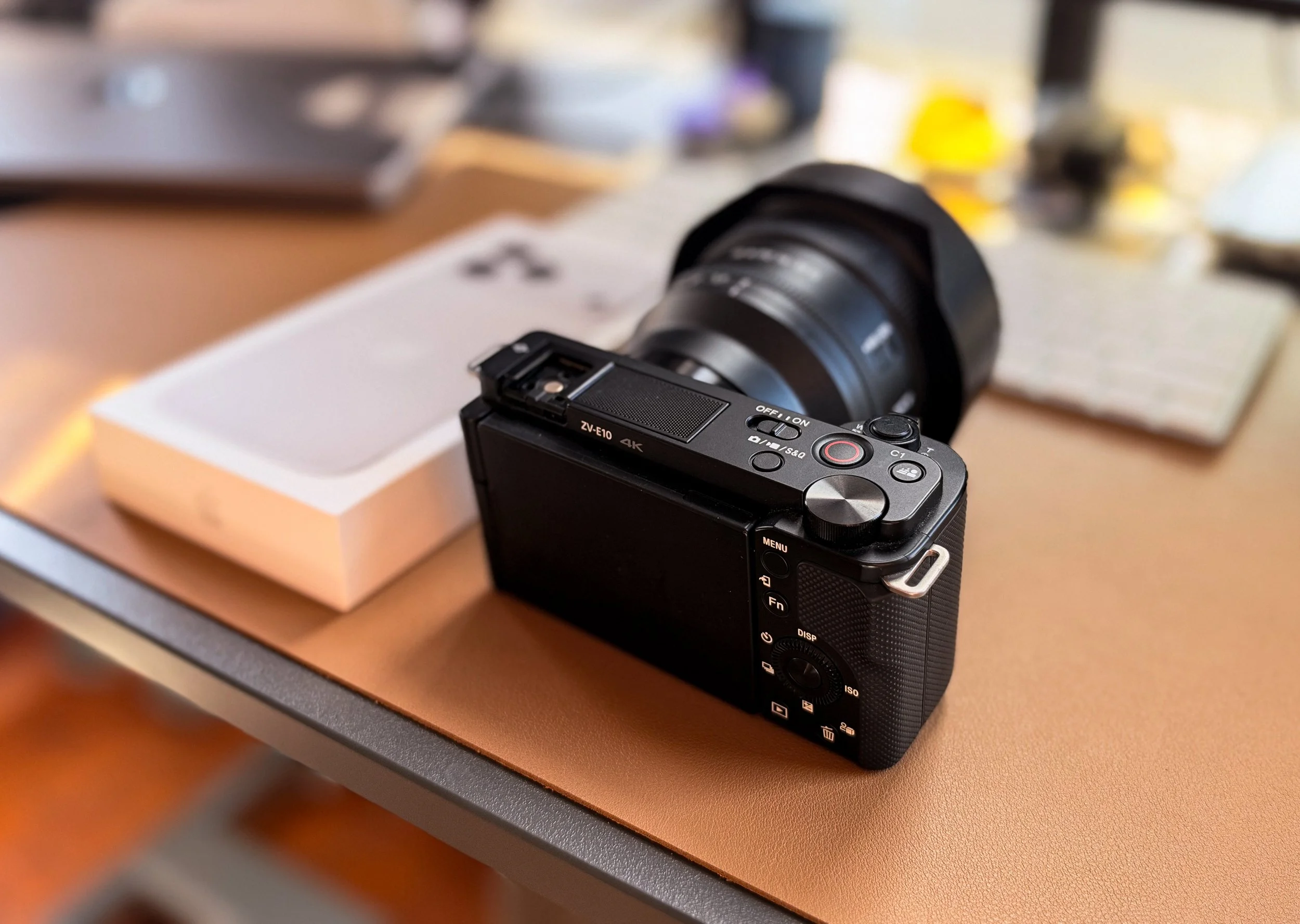
My Sony two-camera setup
Sony ZV-E10 body
Sony 16–35mm f/4 PZ G
Sony A7C body
Sony 24–70mm f/2.8 GM
DJI wireless microphone system
Dummy battery and wall-power adapter
Tripod
Samsung Pro Plus 256GB SD cards
DJI Osmo Pocket 3 for stabilized BTS footage
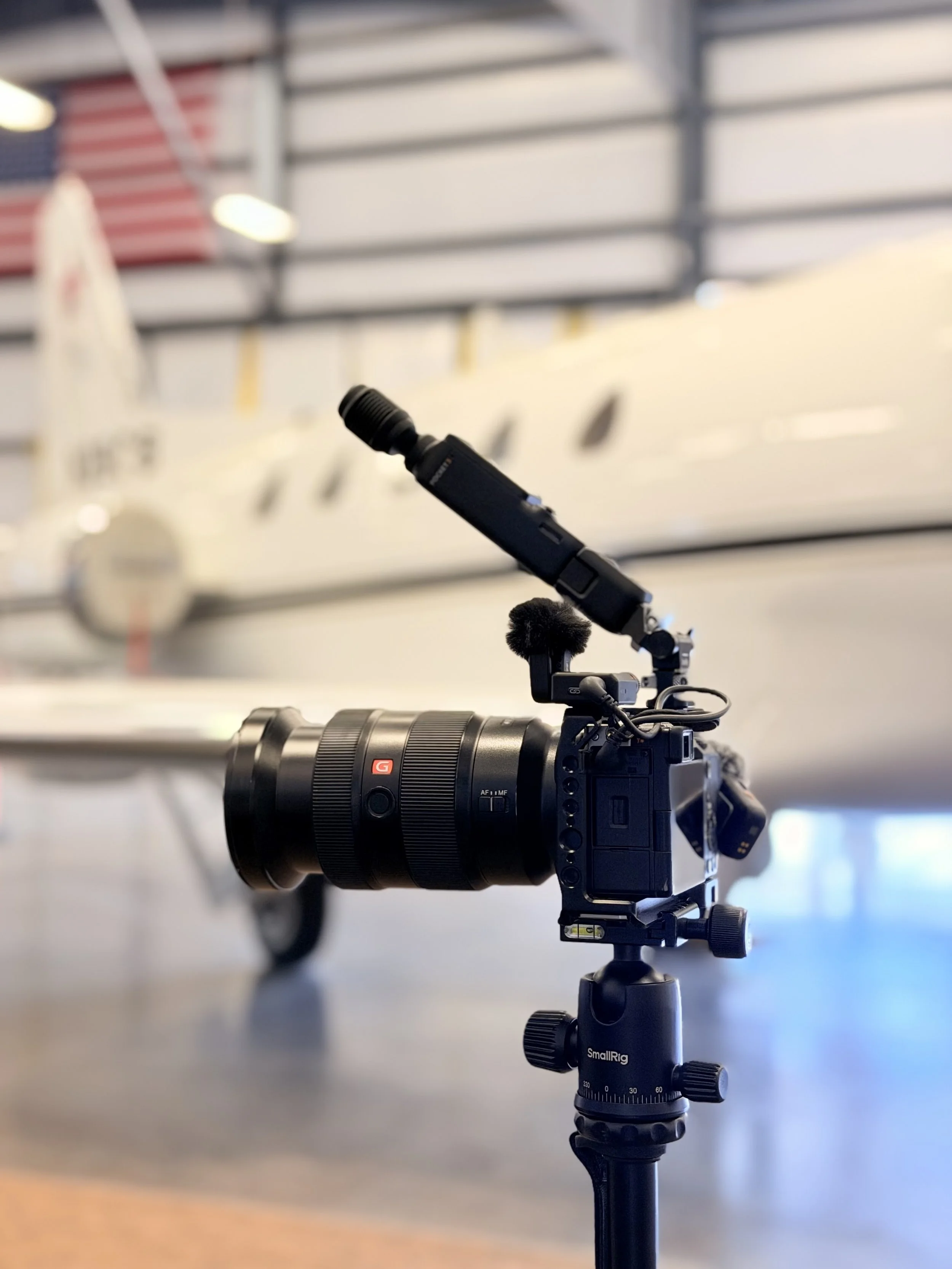
Sony a7c for reference
Planning a Bay Area conference or corporate event?
If your organization needs conference photography, multi-camera presentation recording, interviews, testimonials, or a highlight video, I would love to help. I work throughout San Francisco, the Peninsula, Sonoma County, and the greater Bay Area.
Book Pete Muniz Photography: https://www.petemuniz.com/book-now
Related posts
DJI Osmo Pocket 3 Creator Combo Review (2026)
How I Photographed a Two-Day Corporate Conference: My Complete Camera Setup
From Fog to Downtown: Testing the Sony 24–70mm f/4 Zeiss on the A7C in San Francisco